
Bitcoin widget for your iPhone
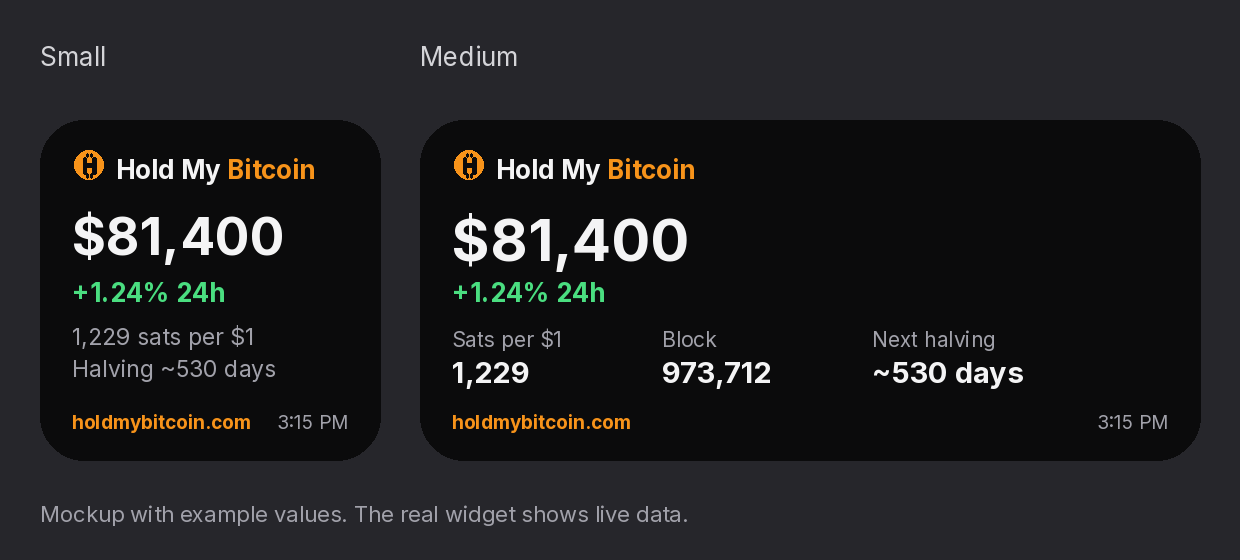
A free home-screen widget with the bitcoin price, 24-hour change, sats per $1, block height and days to the next halving.
It runs inside Scriptable, a free app by Simon B. Støvring that runs small JavaScript files. It's not an App Store app of ours, and we don't make Scriptable.
Install (about 2 minutes)
- Install Scriptable from the App Store (free).
- Tap Copy script below.
- Open Scriptable, tap + (top right), paste, then tap the title at the top and name it Hold My Bitcoin. Tap Done.
- On your home screen, touch and hold an empty spot, tap Edit then Add Widget (or +), pick Scriptable, choose small or medium, and tap Add Widget.
- Touch and hold the new widget, tap Edit Widget, and set Script to Hold My Bitcoin. Leave When Interacting on Open URL to open this site when you tap it.
Show the script (84 lines)
What it shows and where it comes from
- Price and 24h change: Coinbase public BTC-USD data (spot price, and the change from the price 24 hours ago).
- Sats per $1: 100,000,000 divided by the price.
- Block height: mempool.space.
- Next halving: blocks left to the next multiple of 210,000, at about 10 minutes per block. It's an estimate; the real date depends on block times.
- Time: when the data last loaded. If a source fails, it shows the last saved value and marks it stale.
Good to know
- The widget asks iOS to refresh about every 15 minutes, but iOS decides the actual timing, and it is often less frequent.
- No account, no keys, no tracking. The script talks only to Coinbase and mempool.space, and saves its last values in Scriptable's own files on your phone.
- You can read every line before you paste it. Not financial advice.
For information and education only. Not financial advice. Past prices don't predict future prices.